
In Kindara, you can choose whether your charts are displayed using Fertile Peaks or Fertile Valleys, which allows you to customize how your cervical mucus and menstruation is displayed on your charts.
By default, your Kindara chart is set to display your cervical mucus in Fertile Peaks, meaning the higher volume or more fertile cervical mucus that's entered, the higher the cervical mucus bars will display on your chart in the Chart page. Menstruation bars follow the same pattern of more = taller bars.
Fertile Peaks with temperatures
This would be useful if you like to follow the logic that taller bars = higher fertility.
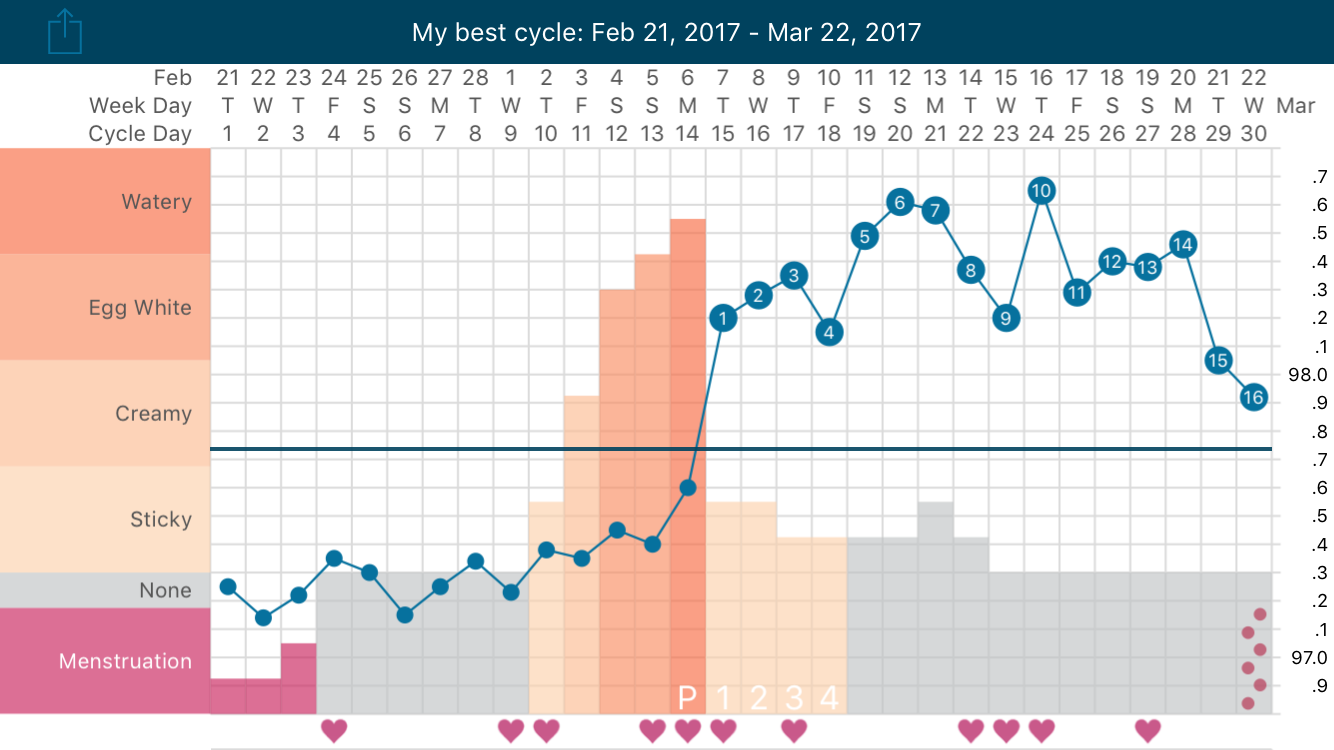
But we also have a Fertile Valley setting, which allows your temperatures and cervical mucus bars to match each other in terms of fertility, as seen below.
Fertile Valley with temperatures
This would be useful for you if you want temperatures and cervical mucus to follow the same pattern.
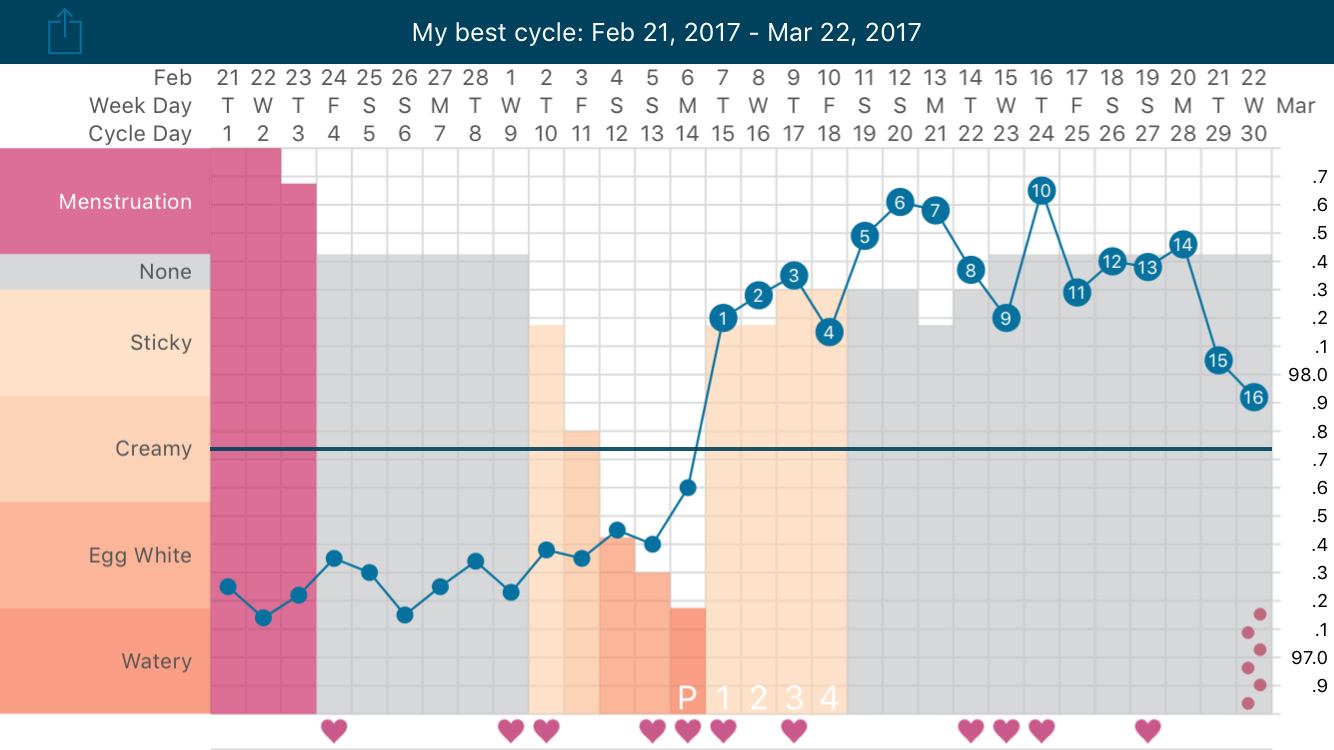
With Fertile Valley enabled, think "high and dry." The higher the cervical mucus bars show on your chart, the drier, and less fertile the cervical mucus. The lower cervical mucus bars show the more fertile cervical mucus, which is predicts approaching ovulation (1). Once the temperature spikes on the chart and confirms ovulation (2), the cervical mucus bars also jump up as cervical mucus dries up, allowing you to visually confirm ovulation by using both primary fertility signs instead of temperature alone.
The Menstruation bars follow the same pattern when the Fertile Valley option is used, the lighter the flow, the higher the bars, so that's why you're seeing "heavy" days displayed as bars that are lower than the "light" days. You can think of it the same as if something is heavy, it would sink to the bottom.
Whether you enable Fertile Peaks or Fertile Valleys is up to you!
How to switch Fertile Peak and Fertile Valley
To choose between Fertile Peaks or Fertile Valley, follow the instructions below for your operating system.
iOS
- Tap More on the lower right corner.
- Tape Chart Style, then select Fertile Valley or Fertile Peak.
Android
- Tap the Menu button in the upper left corner.
- Tap Settings.
- Check or uncheck the box next to Fertile Valley to enable or disable valleys.
References
- Bigelow, J. L., Dunson, D. B., Stanford, J. B., Ecochard, R., Gnoth, C., & Colombo, B. (2004). Mucus observations in the fertile window: a better predictor of conception than timing of intercourse. Human Reproduction, 19(4), 889-892.
- Barron, M. L., & Fehring, R. J. (2005). Basal body temperature assessment: is it useful to couples seeking pregnancy?. MCN: The American Journal of Maternal/Child Nursing, 30(5), 290-296.