
The optional Menstruation and Fertility Prediction feature will predict the start date and length of your next period as well as your next fertile window, based on the actual data you enter. The predictions are based on an average of past cycle data, including your average cycle length, the average length of menstruation, and the average length of the luteal phase (the app calculates the length of the luteal phase based on your basal temperatures and temperature shifts). The more data you enter into Kindara, the more accurate the predictions will be.
How to turn Menstruation/Fertility Prediction On or Off:
Apple
- Tap More in the lower right corner.
- Tap Settings.
- Tap Prediction, then select Yes or No.
Android
- Tap the Menu icon in the upper left corner.
- Tap Settings.
- Under Preferences, tap the checkbox next to Period Predictions. Check the box to turn this feature on or uncheck the box to turn the feature off.
For new users, the predictions are based on the average cycle length entered upon creating an account. After a user has been charting for several cycles, the app calculates the menstruation and fertility predictions based on the actual data entered.
Users with the Goal setting set to Avoid Pregnancy will only have access to Menstruation Prediction because Fertility Prediction is based on past cycle data, not the data from the current day – meaning that it's not 100% accurate at determining the fertile window and shouldn’t be relied upon as a means of avoiding pregnancy. The Kindara App is not a regulated medical device and it has not been cleared by the FDA or any regulatory authorities as a method of contraception.
Users with the Goal setting set to Get Pregnant or Track My Period will have access to Fertility Prediction as well as Menstruation Prediction as an estimation/planning tool only.
Because the predictions are based on an average of past cycle data and the natural variation in the menstrual cycle, it’s important to confirm ovulation and the fertile window by monitoring your individual fertility signs each day.
Here's how the symbols will appear on iOS devices:
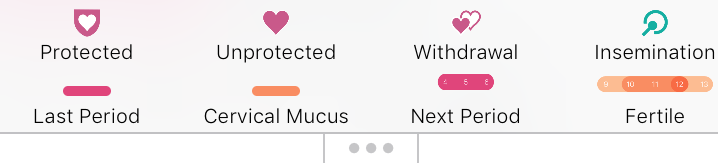
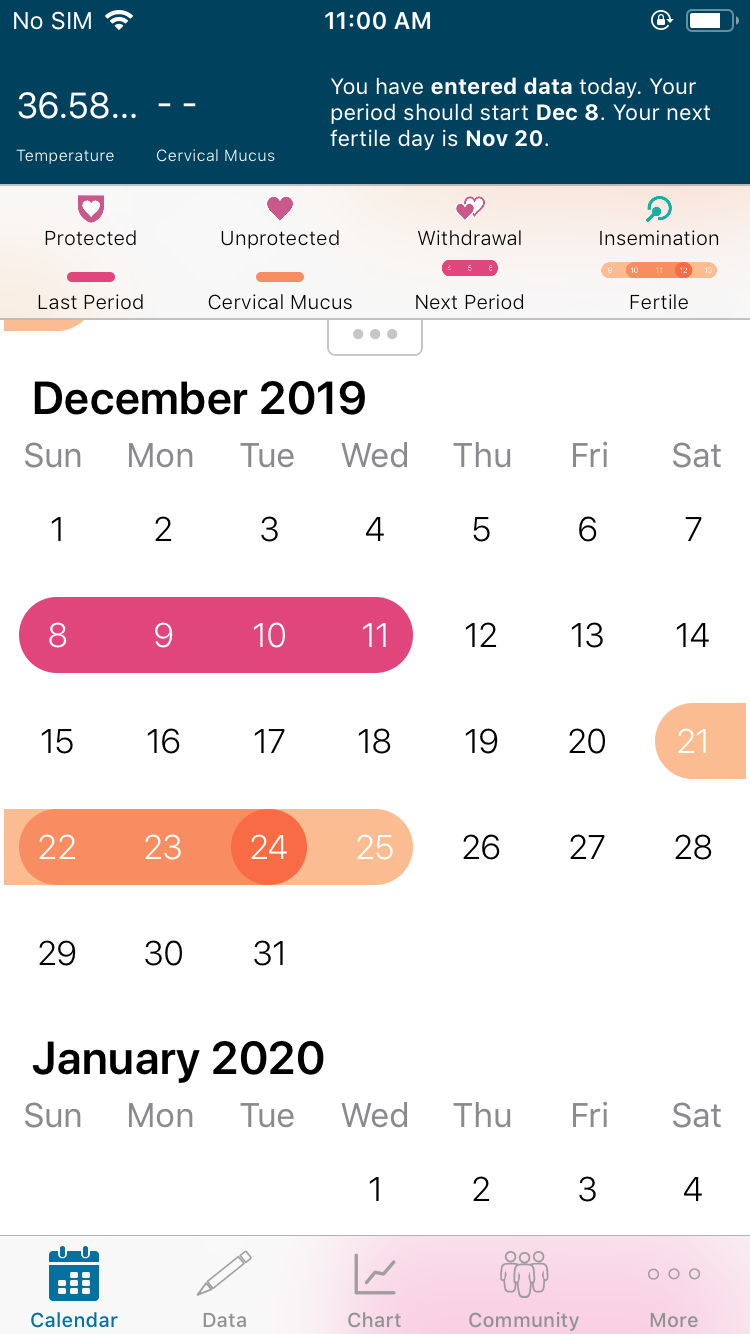
Here's how Menstruation/Fertility Prediction looks in the Calendar view on iOS.
Here is the Calendar with predictions in Android:
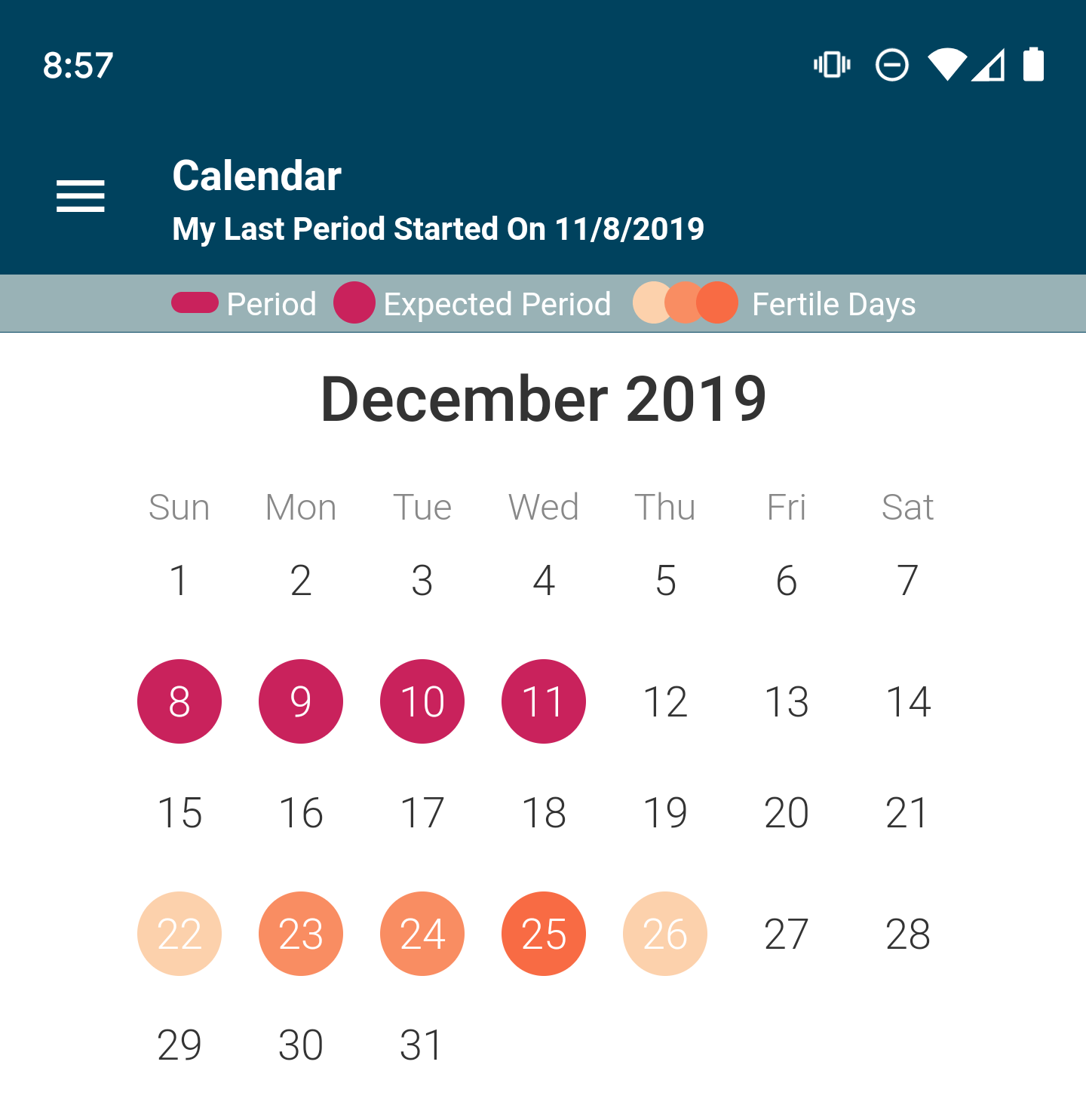
For both iOS and Android, pink is the predicted period. Orange represents the fertile window, with darker orange representing more fertile days.
Disclosure: If you are trying to avoid pregnancy and you are using the fertility awareness-based method or natural family planning, it is extremely important to understand the rules of avoiding pregnancy and how to apply them to your body. While the Kindara App provides a way to digitally record your fertility data, the app does not apply these rules for you or provide any recommendations about when it is safe to have intercourse if you’re trying to avoid a pregnancy.
If you are using the fertility awareness-based method and do not want to become pregnant, it is critical that a proven method of birth control is used during anytime where your fertility signs indicate you could be fertile, such as a barrier method or abstinence.
The Kindara App is designed to be a digital journal to allow users to collect and visualize their fertility data, allowing women to view and interpret the data in a more efficient way than a paper-based chart.