
While cervical mucus and vaginal sensation both point to the same hormonal changes, we consider sensation to be a completely separate sign from observable cervical mucus, giving its own distinct information.
First, let's get Vaginal Sensation to display on your Data Entry page (pencil icon)!
iOS Apple:
- In the Kindara App, tap More
- Tap Settings
- Tap Data Entry Layout
- Tap Edit
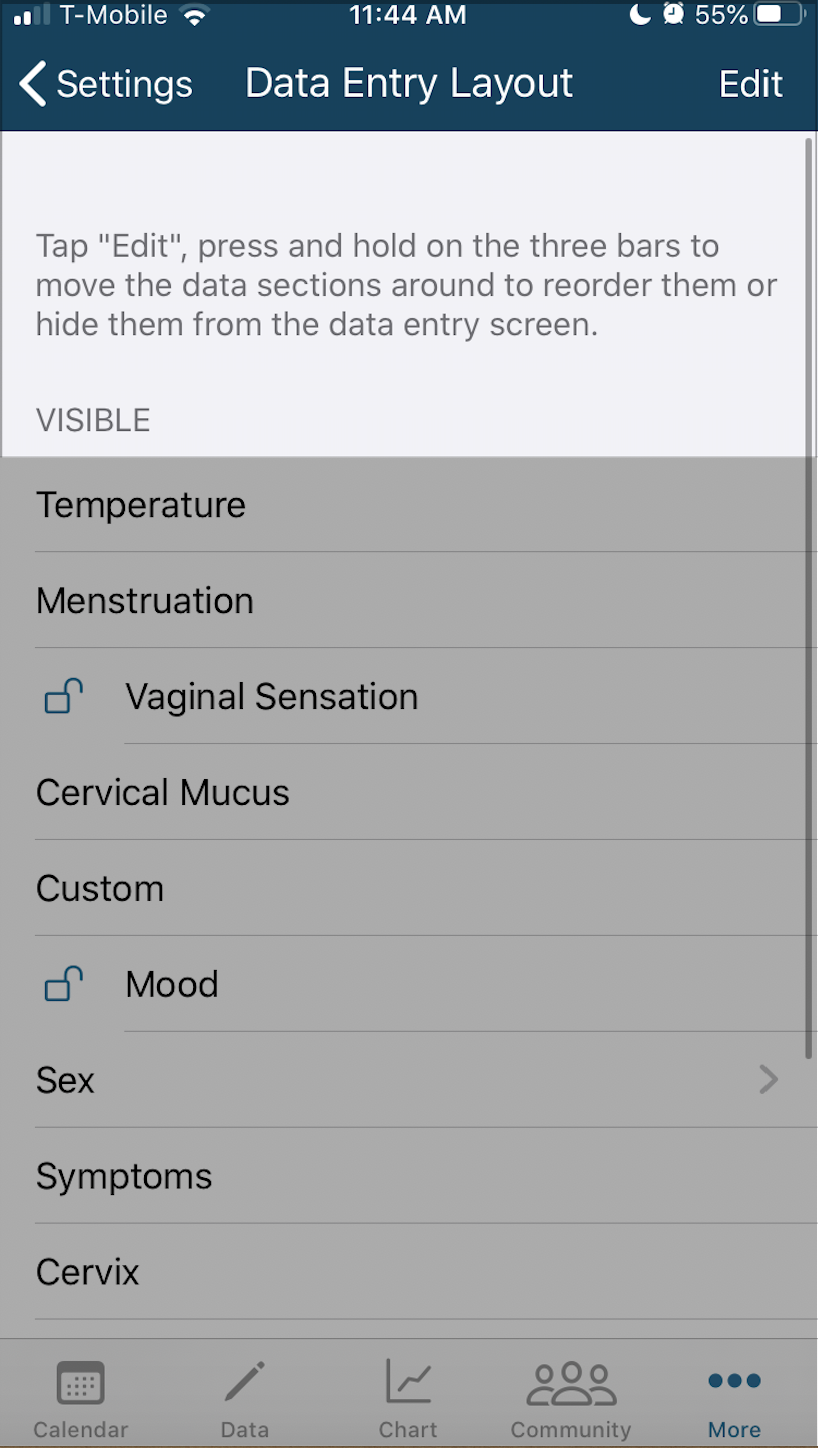
- Drag the three lines next to the item you'd like to display from "Hidden" to "Visible"
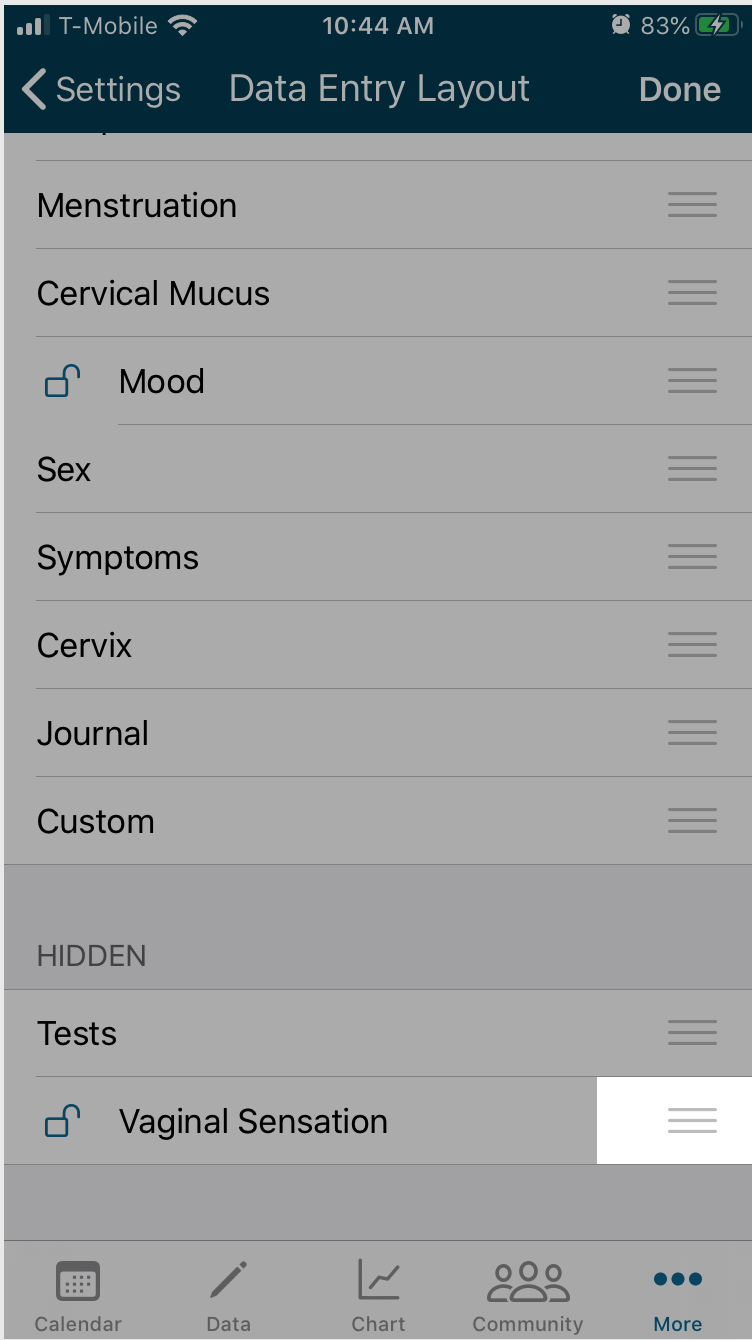
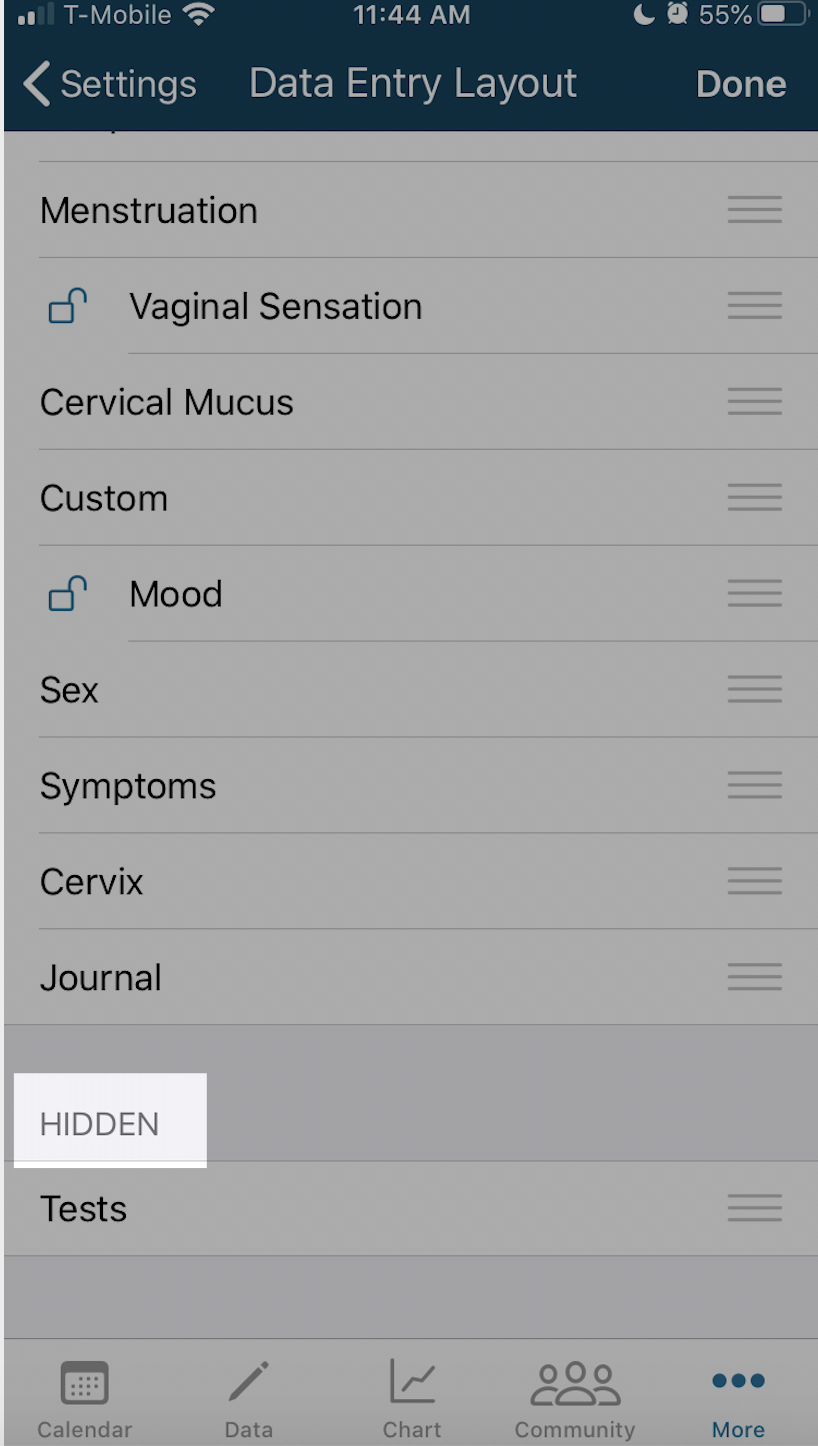
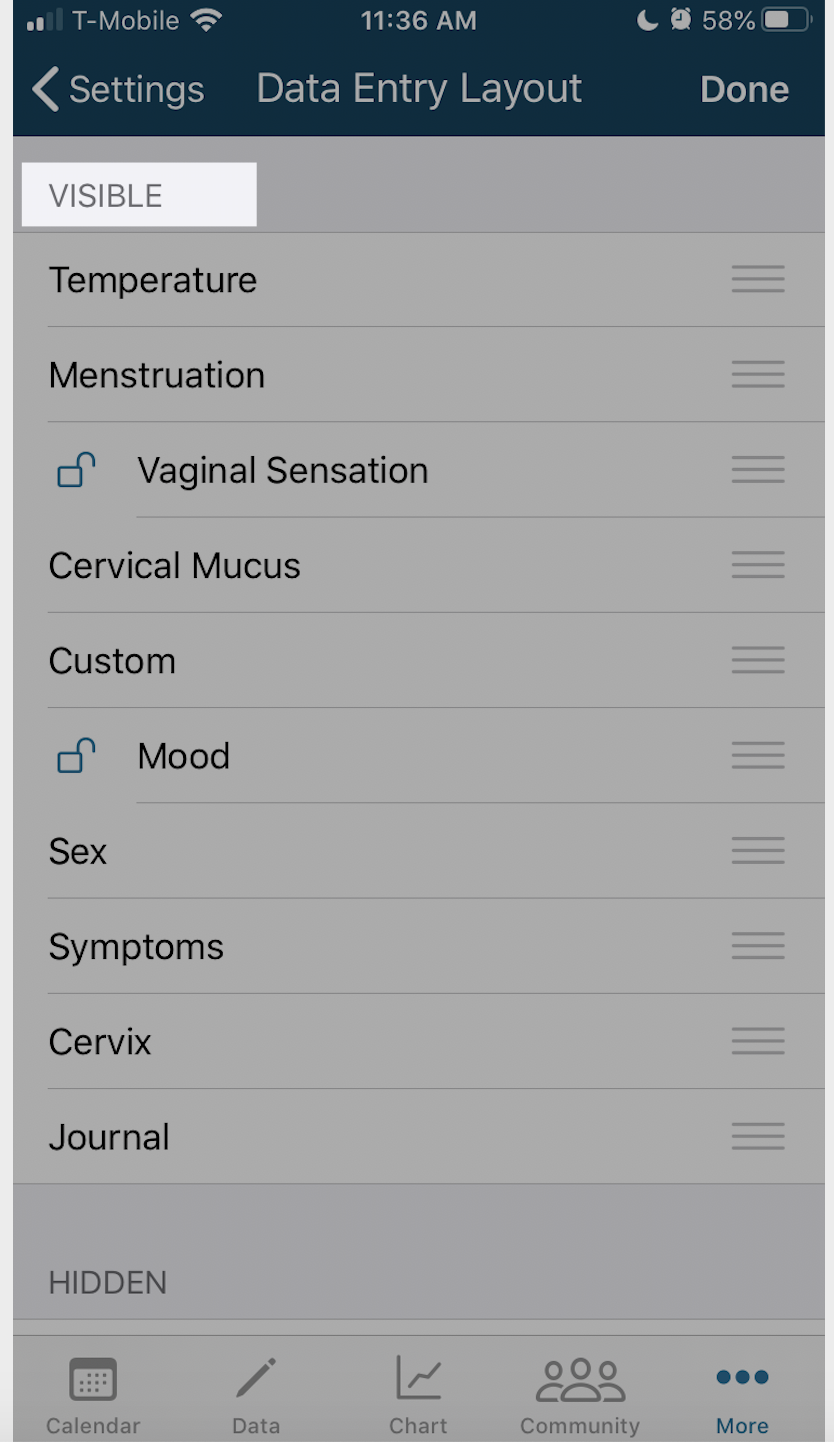
- Rearrange the items on this Data Entry Layout Page in any order you'd like and they will display this way on the Data Entry page (pencil icon) once completed.
- Tap Done
- Tap the Data entry page (pencil icon at the bottom) to see the Vaginal Sensation available for daily use.
Android:
- Open Kindara app
- Tap Menu (three vertical lines)
- Scroll down to view Data Screen Customization
- Tap the box next to Vaginal Sensation
- Tap Data entry page (pencil icon at the bottom)
- See these items listed on the Data Entry page (pencil icon)
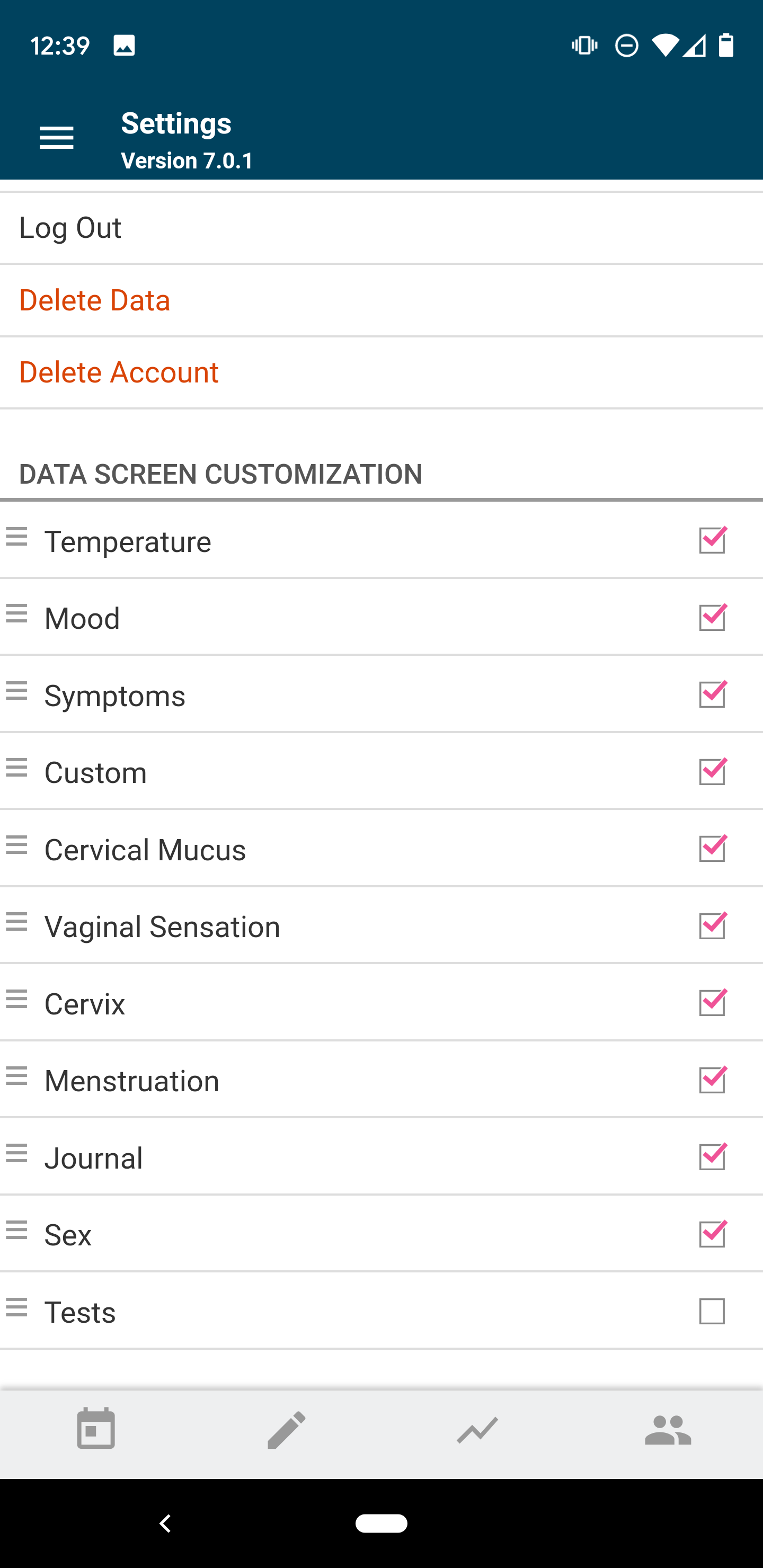
Once Vaginal Sensation is selected in Settings:
- Tap the Data Entry page (pencil icon)
- Scroll down until you see the Vaginal Sensation section
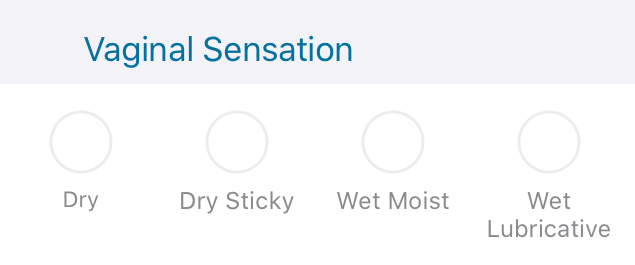
- Tap: Dry, Dry Sticky, Wet Moist, Wet Lubricative as displayed below
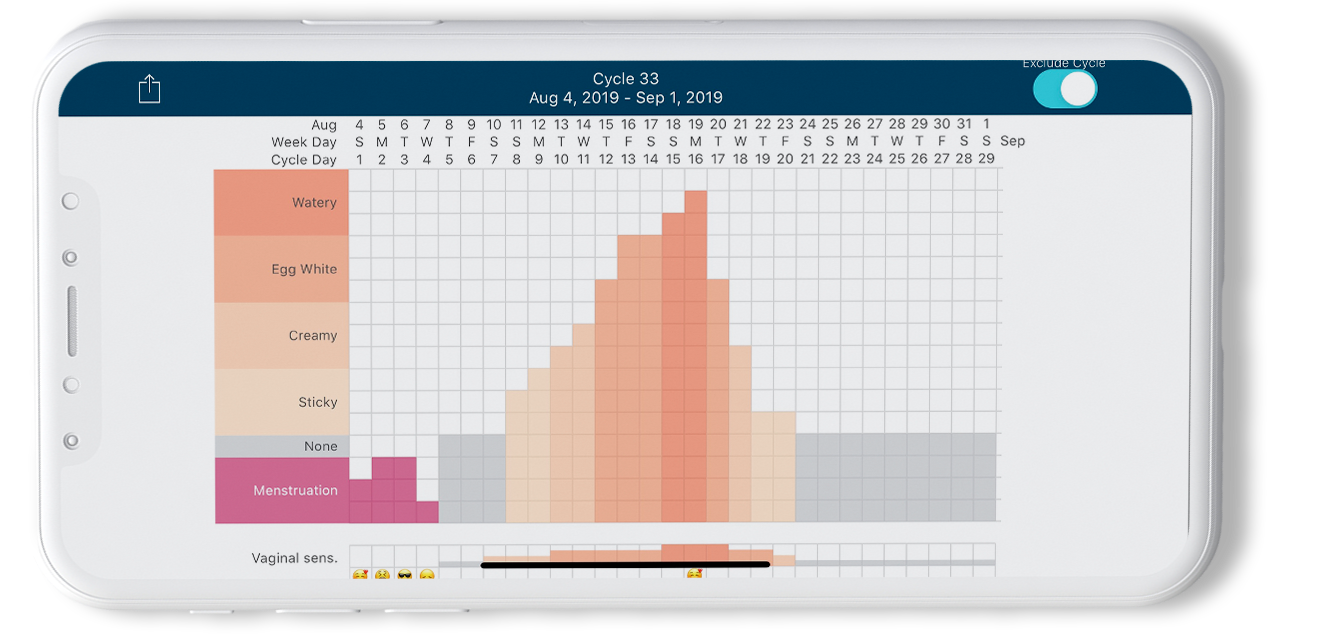
Once you've tracked Vaginal Sensation in the Data Entry page (pencil icon) you can view data in Chart view to help track this fertility sign!
Learn more about how to track Vaginal Sensation