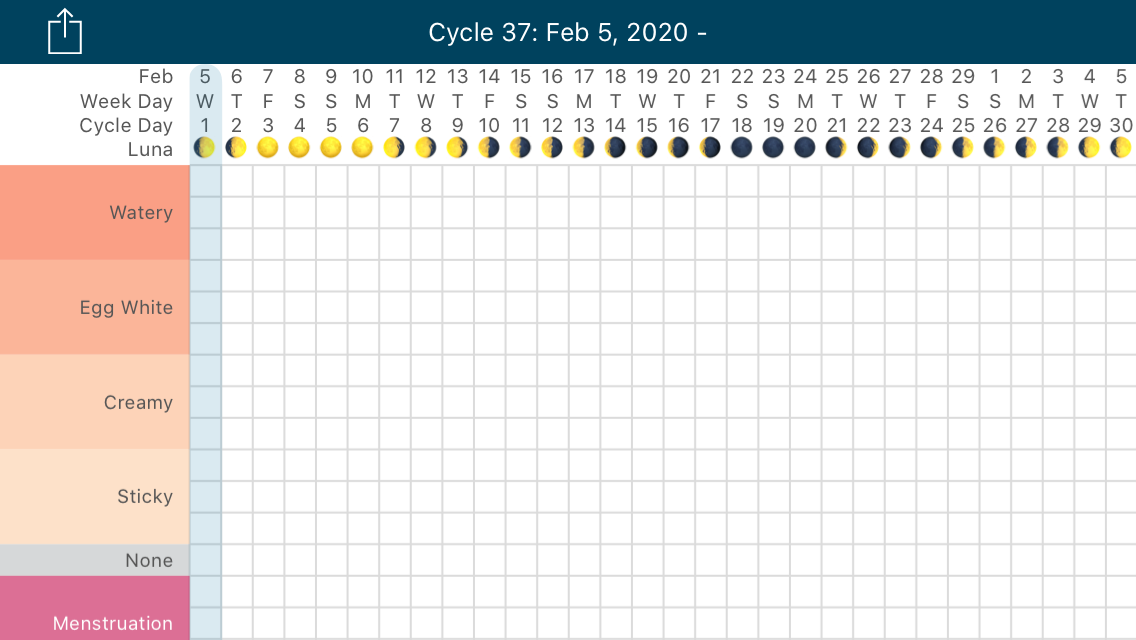
Kindara Premium's Lunar Phase feature allows you to see the lunar phase displayed at the top of your Kindara Chart!
First, let's get all the Lunar Phase to display on your Data Entry page (pencil icon)!
iOS Device:
- In the Kindara App, tap More
- Tap Settings
- Select Lunar Phase
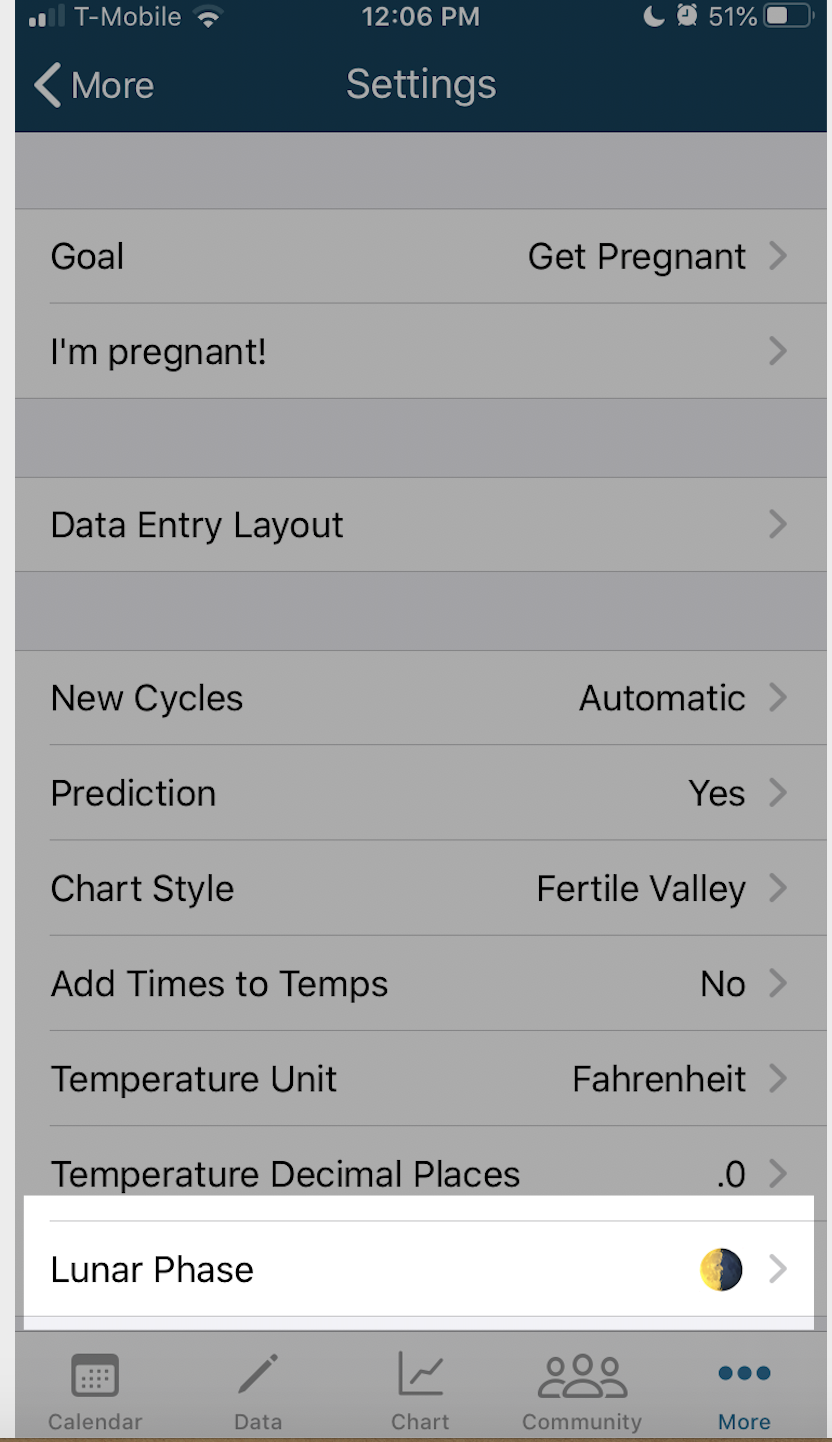
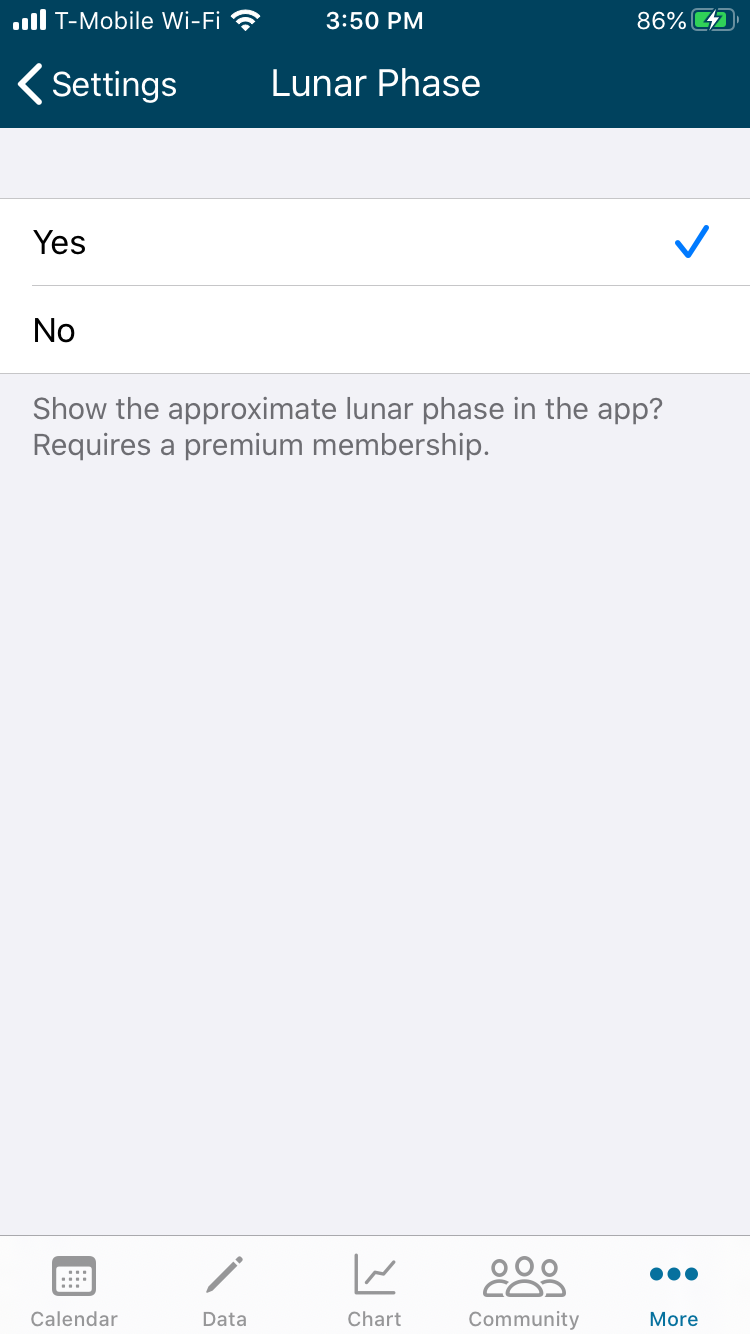
After tapping the Lunar Phase button, Kindara will open a new screen:
- Tap Yes
______________________________________________________________________________________________
Android Device:
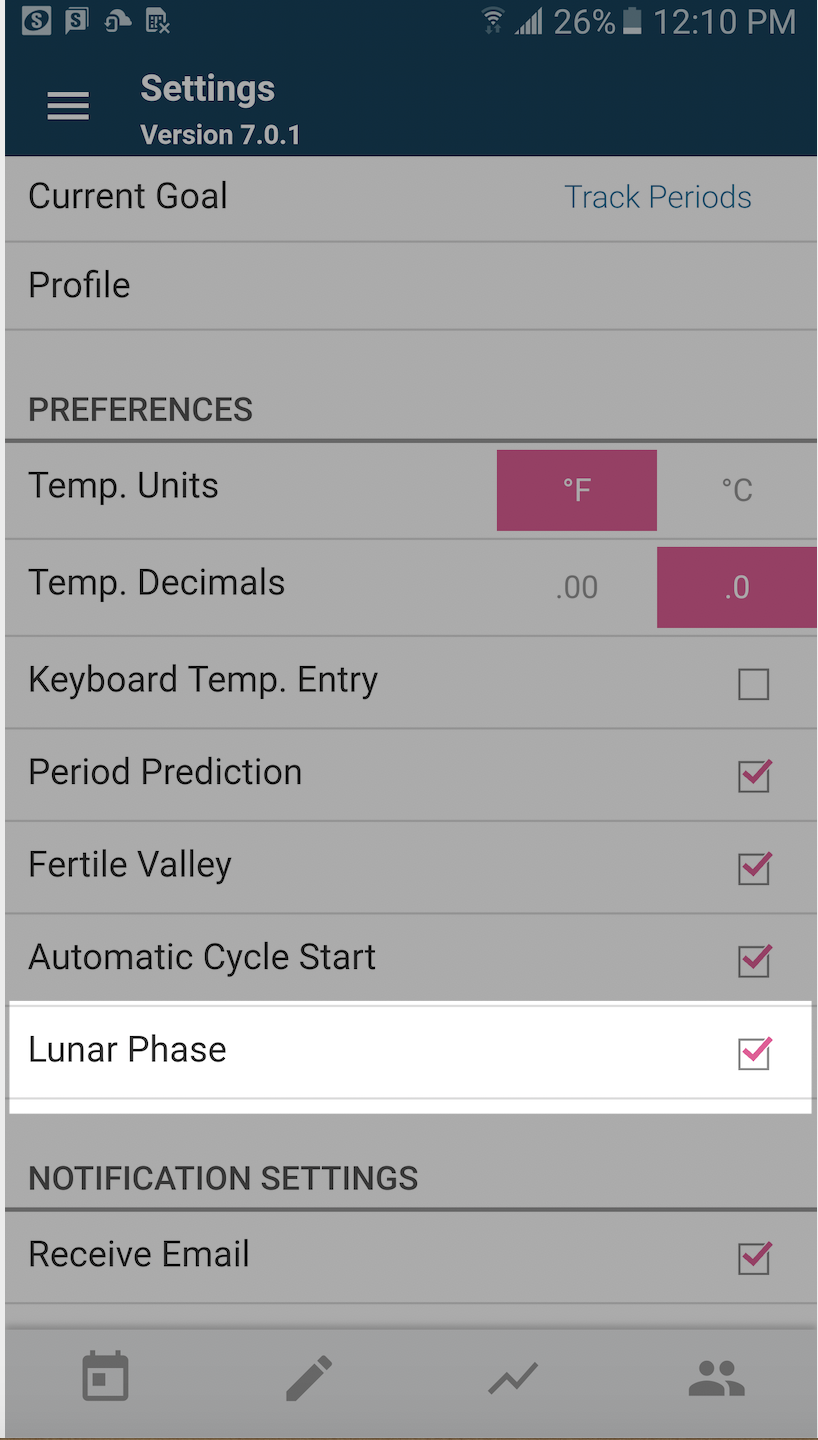
- In the Kindara App, tap Menu icon (three lines on the upper left of any screen)
- Tap Settings
- Select the box next to Lunar Phase
- Once completed, tap the Chart icon to see the Lunar Phase displayed at the top of your Chart